Customers are more likely to order from a menu with accurate and appealing photos of menu items. Including images and descriptions of menu items diminishes confusion and enriches the online ordering process.
From the left sidebar navigation, click Menus > Items. Find and select the Menu Item you wish to update from the Menu Item List.
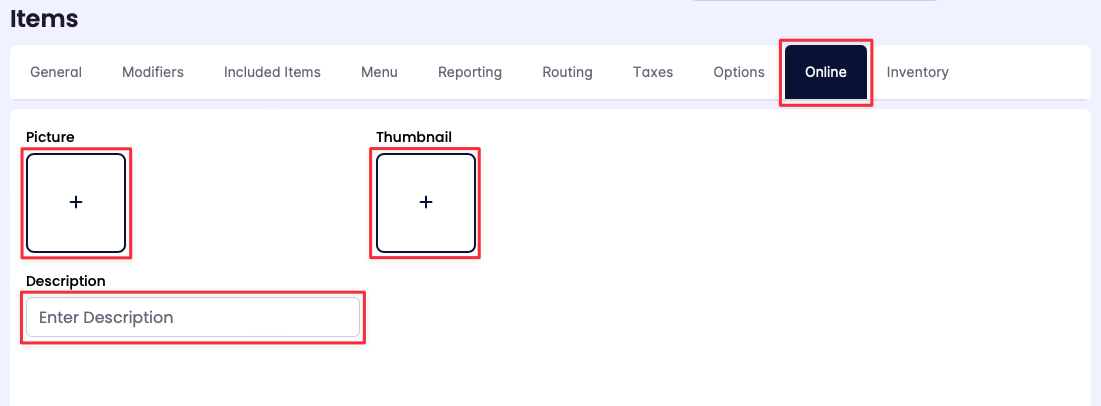
- The online ordering configurations are located on the Online tab from the Menu Item setting page.
- Click the (+) under Picture to upload an image of the menu item. This image appears on the online ordering menu.
|
|
- Click the (+) under Thumbnail to upload a thumbnail image of the menu item. Thumbnail images enhance the visual appeal of an online ordering menu by attracting customers to explore additional options for a menu item.
- Use the Description text box to type a description of the menu item to appear on the online ordering menu.
|